How To Uninstall Whatsapp On Desktop
WhatsApp is a very convenient messaging app for users. At the desktop.

Uninstall Remove Whatsapp Desktop App From Windows 10 7
Click on the Uninstall button to remove WhatsApp Desktop from Windows 10.

How to uninstall whatsapp on desktop. The desktop version allows you to view read and send messages directly from your computer without accessing the smartphone on which WhatsApp is installed. Heres a step by step guide to do that. On Windows 10 PC navigate to Settings Apps Apps features.
Click on the Uninstall button and then click the Uninstall button again when you see the confirmation dialog to remove WhatsApp from your Windows 10 PC. Click on the WhatsApp Desktop entry to see the Uninstall button. More than 2 billion people in over 180 countries use WhatsApp to stay in touch with friends and family anytime and anywhere.
But to safely do this you need to boot the computer in Safe Mode uninstall the current display adapter and then check for driver updates. This post provides guidance on the 2-step process to successfully uninstall Linux in Windows 10 Dual Boot setup without losing data. Click on the Start Button and then select the Settings.
For instance while making calls on the WhatsApp iOSAndroid app is pretty easy doing the same on a desktop can be a tedious job. Its really frustrating when WhatsApp is not opening on PC. WhatsApp desktop has been around for.
Method 2 of 2. Open the Start menu in the lower left corner of your desktopSelect the All Programs menu item then follow. Although the inbuilt apps are great for the audience it is targeted for that is teachers students and other educational institutes.
So Whatsapp web Whatsapp desktop provides most of the services that the mobile application provides. Follow all the instructions given by the app to restore your chat history. Here is how to do just that.
Dont worry this post may help. Uninstall Windows 10 S and Go Back to Windows 10 While Windows 10 S is great it confines you into Microsofts environment restricting you from installing any desktop programs. WhatsApp Desktop is the official desktop client of the popular WhatsApp application.
The desktop version does not yet support video or audio calls. Whatsapp has released a software application specifically for Windows or Mac laptop users. Reinstall the application and enter the phone number that you used to register on WhatsApp.
LaptopPCDesktop you can use Whatsapp on all of these devices and the procedures to do it also happen to be the same. This limitation does not work. In the next method we can open Whatsapp on a laptop using the desktop version of the application software.
The way to open Whatsapp on a Windows or Mac laptop can note the steps below. WhatsApp is free and offers simple secure reliable messaging and calling available on phones all over the world. Once you fulfill every steps your old and deleted messages will be back on your phone.
Look at the entry named WhatsApp and click on the same to reveal the Uninstall button. How to open WhatsApp on your Laptop. Updating your display drivers may also be able to help you fix this flickering issue once and for all.
We use it for work and relaxation its an essential part of daily life. Open Whatsapp on the Laptop Software Application version. In this guide I will answer this common query about the WhatsApp desktop video call feature and will also tell you how to video call on.
Thankfully there is a smart solution to make video calls on WhatsApp desktop. After upgrading to Windows 8 the Uninstall tile may not be represented on the new Start screenTo access it please right-click on any blank area of the screen then click the All apps button in the lower right-hand corner of the screen. Remove WhatsApp using Control Panel.
The WhatsApp desktop and web version make it easy to upload and save work messages and files. Reinstalling WhatsApp Desktop is easy. Reinstall WhatsApp Desktop on Windows 10.

Pin On Techno Vault
How To Completely Uninstall Whatsapp Desktop App In Windows 7 8 10 Youtube

Whatsapp Desktop Not Opening Or Not Working In Windows 10

Pin On Pc Ui
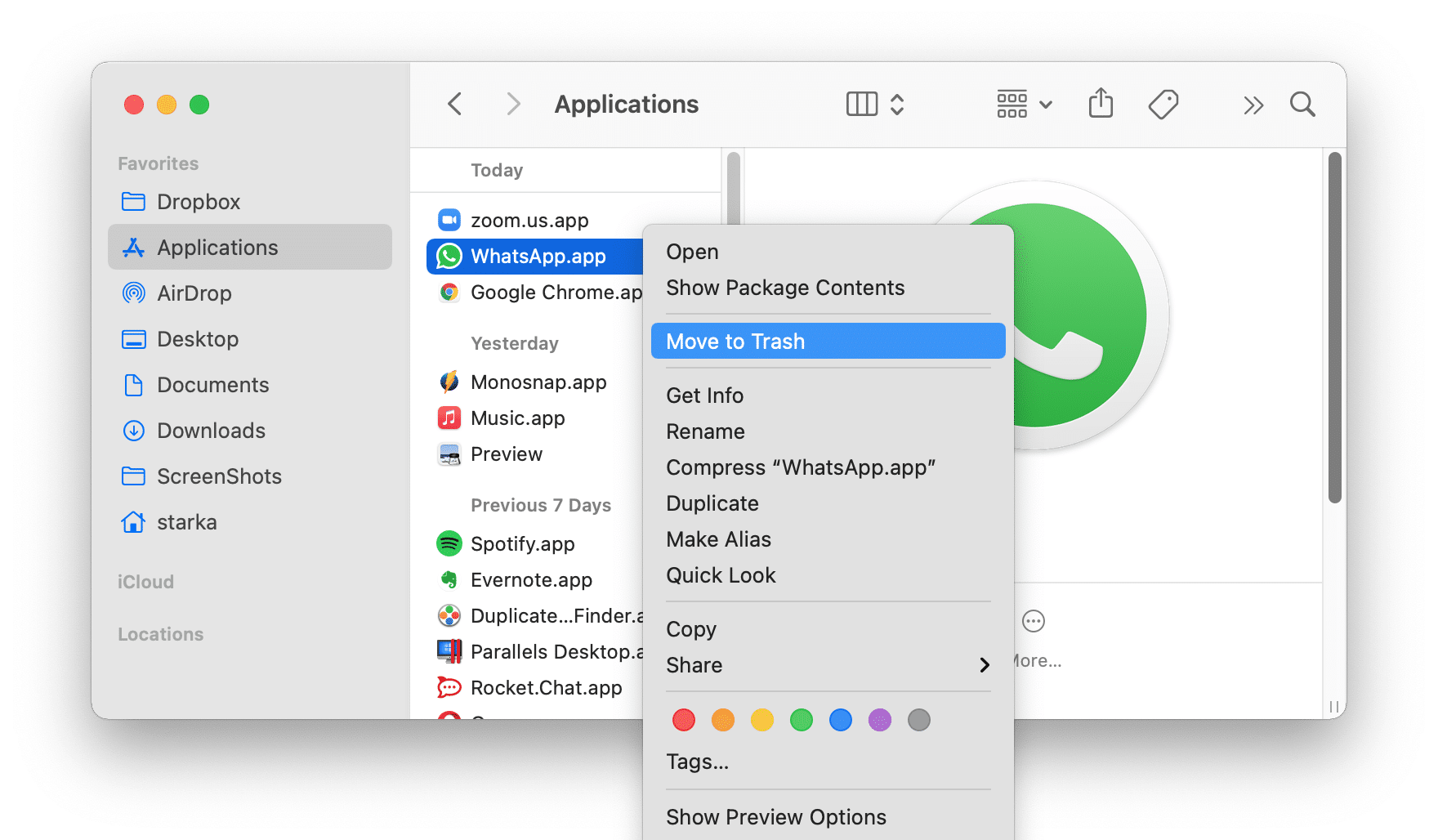
Uninstall Whatsapp On Mac Full Removal Guide Nektony

Web Whatsapp Whatsapp Web Whatsapp On Pc Www Whatsapp Com Pc Computer Messaging App Connection

Whatsapp Rolling Out Voice Video Calls To Some Desktop Users Report Technology News

Issue Whatsapp Desktop Stucked In Fullscreen Mode Web Workers Ch

Speed Up Windows Vista How To Uninstall Windows Programs How To Remove

Find Out If Someone Uninstalled Whatsapp Or Deleted Check Techniquehow In 2021 What Happens When You Profile Picture Whatsapp Message

How To Add Shortcut Of Whatsapp Contact On Android Helpful Hints Messages Phone Apps

Uninstall Whatsapp On Mac Full Removal Guide Nektony

Uninstall Remove Whatsapp Desktop App From Windows 10 7

How To Add Contact To Whatsapp Pc Or Bluestack Whatsapp App Play Ads App

Whatsapp Desktop Web Design User Interface Design App Layout

Whatsapp On Pc Desktop And Laptop Desktop Pc Computer Laptop

Enable Whatsapp Dark Mode On Windows Mac Droidviews Instant Messaging Mac Party Apps

Uninstall Remove Whatsapp Desktop App From Windows 10 7

Accidentally Deleted Whatsapp Chats Now You Could Restore Whatsapp Backup Without Uninstalling Resto How To Delete Instagram Messaging App Send Text Message

Posting Komentar untuk "How To Uninstall Whatsapp On Desktop"