Whatsapp Browser Safari
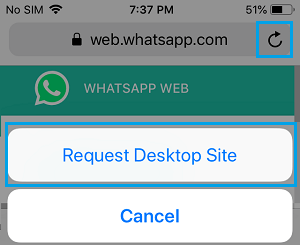
At one point in time Whatsapp web functioned on the iPad Safari browser. Safari web browser brings robust customization options powerful privacy protections and many other web browsing-related features.

Whatsapp Web Does Not Work On Firefox Web Applications Stack Exchange
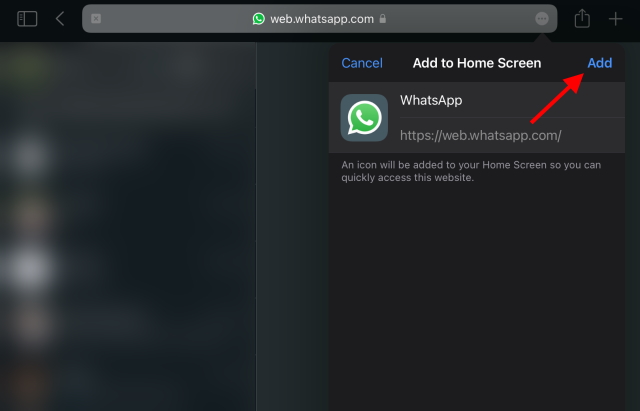
Tapping it will take you to WhatsApp on iPad even if the Safari tab has been closed.

Whatsapp browser safari. IPad Pro iPadOS 15 Posted on Nov 8 2021 1011 AM Reply I have this question too I have this question too Me. Je li ovaj članak bio od pomoći. Easy to follow tutorial on how you can use WhatsApp from a web browser on your PC.
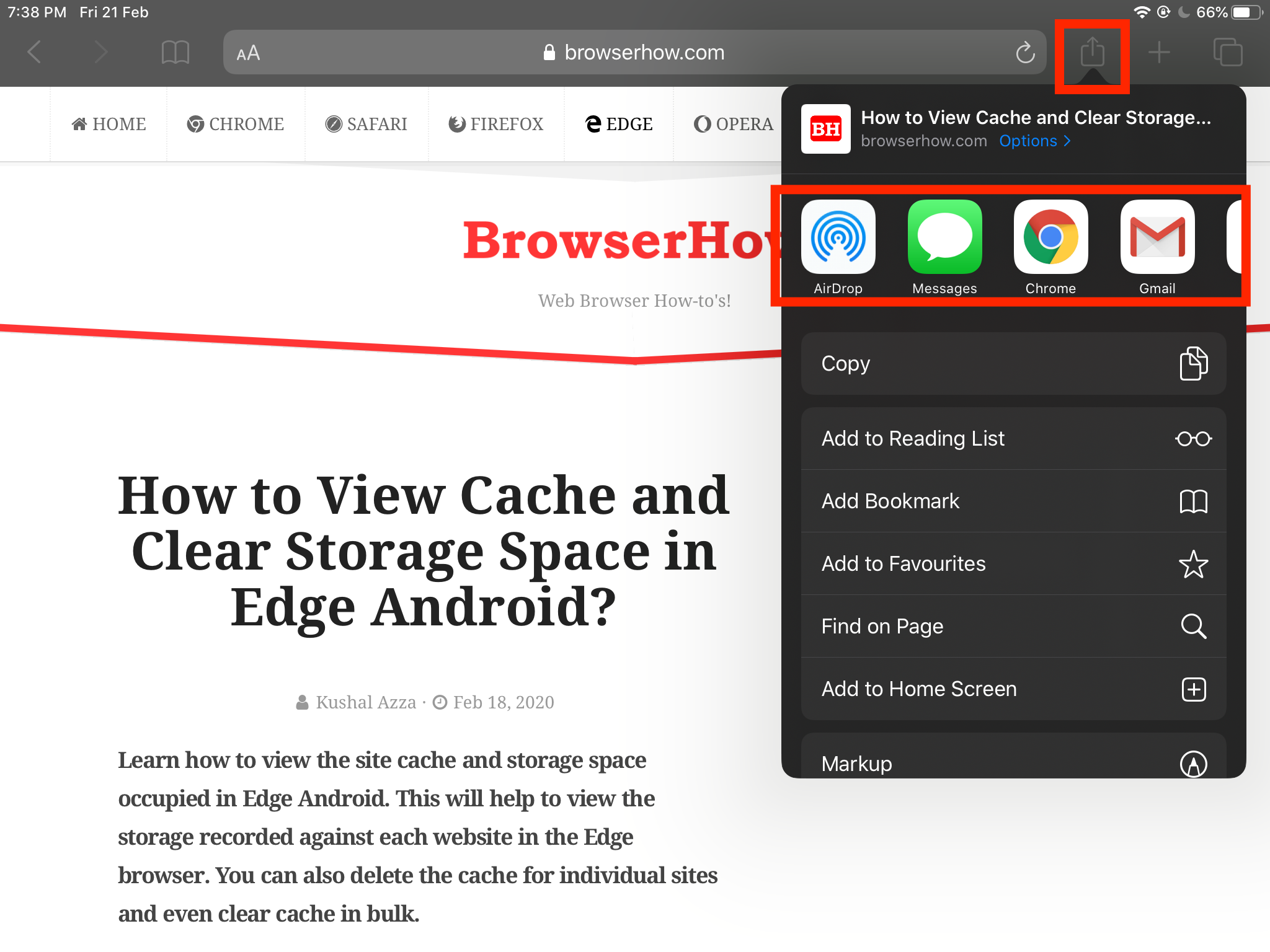
Did you know you can use WhatsApp on Chrome Firefox and Safari. Safari will now lead you to the iPad Home Screen where you will see the Whatsapp icon. FaceTime and Safari are probably the two most improved apps in macOS 12 Monterey.
Stack Exchange Network Stack Exchange network consists of 178 QA communities including Stack Overflow the largest most trusted online community for developers to. Safari is designed to be used only on Apple devices and its the default web browser for all Apple devices. Follow the prompts on the screen.
Websites Notifications. Those of you who are familiar with it undoubtedly know that WhatsApp is simply a version of the application that lets you receive messages on computers as well as phones. Some of the popular third party apps are Messaging for WhatsApp on iPad Whats Web App Messenger for WhatsApp.
Now that you have WhatsApp up and running on your iPad you can use all the features available in the web version of the messaging app with ease. All you need to do is download the PDF file locally to your Mac then open it in Preview instead of Safari. This one-time setup will help you connect to WhatsApp with your iPad.
Browserling offers free online cross-browser testing in the Safari browser. As far as I know not currently. Now you have loaded the PDF without using Safari and bypassing the plug-in blocked message.
What seems to be the error. Any work around. The most reliable way to access WhatsApp on iPad is by using the Safari browser.
While the PDF loads into Preview. The WhatsApp web interface will appear. I dont get any notifications form whatsapp from the browser.
Unfortunately news stories indicate that it is not as versatile or as useful as WhatsApp Web for Windows or Chrome. Safari Browser For Windows 10 free download - Apple Safari PDF Reader for Windows 10 Facebook for Windows 10 and many more programs. If you still dont see the.
With the redesigned UI neat tab management and super handy Quick Notes Safaris latest set of features would tempt anyone to try the macOS Monterey beta. Step 1Open a new tab in a web browser like Safari or Google Chrome on your iPad. According to this ES6 compatibility table the only iOS browser supporting this is Safari in iOS 11 which supports 99 of the ES6 implementation.
WhatsApp Web works for Google Chrome 36 To start using WhatsApp Web update Chrome or use Mozilla Firefox Safari or Opera. At the moment we offer Safari versions that run on Windows but very soon well also be launching Safari on macOS. However reliability of the third-party apps is always an issue.
Right-click on the link to the PDF then choose Download Linked File or Download Linked File As. In your browser click Safari Preferences. The installed Safari versions are from the official Apple installation packages and they are not fake browser emulators or simulators.
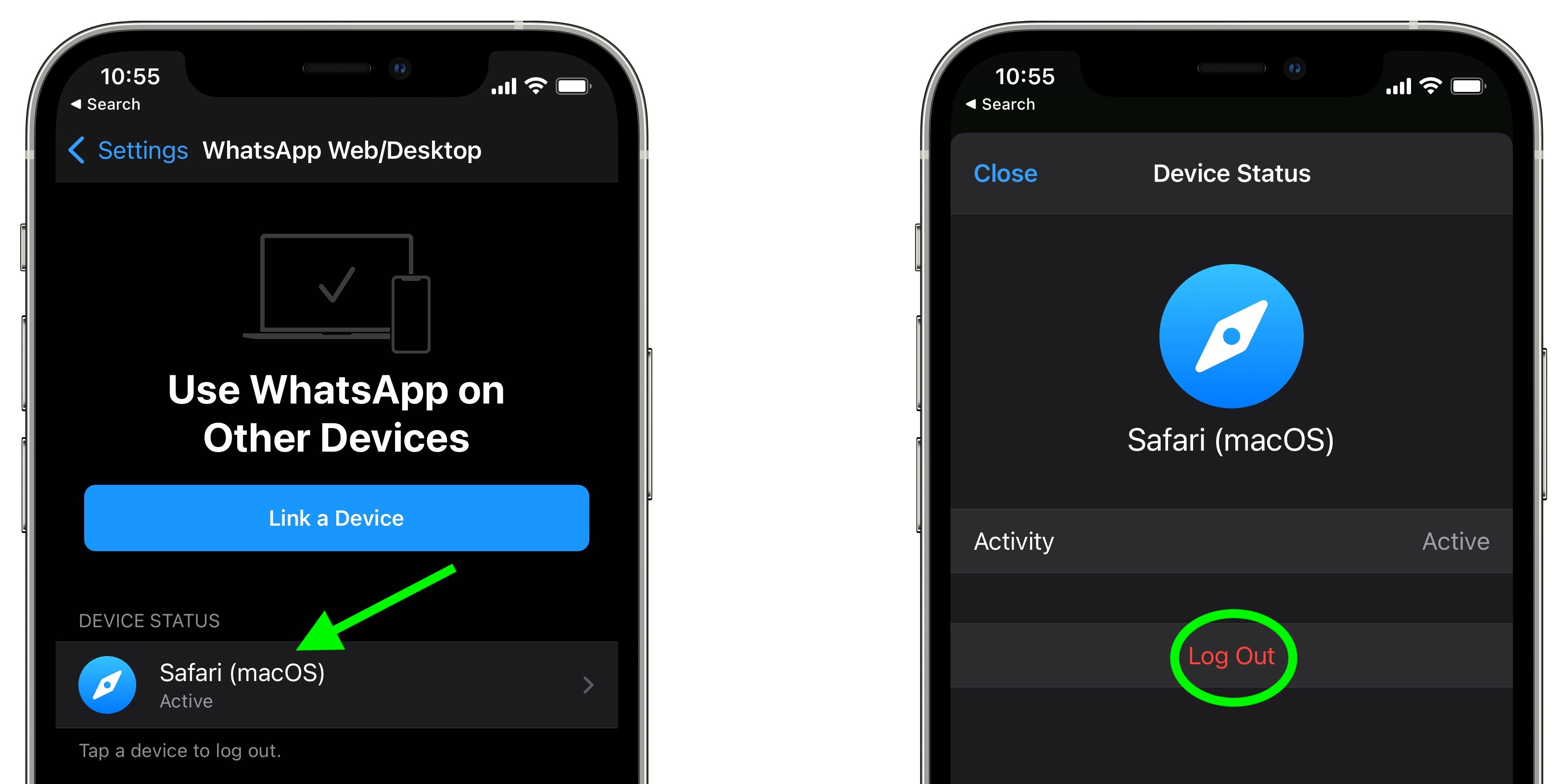
You see a scroll bar only when needed. Tap Menu or Settings and select Linked Devices. How to change notifications on WhatsApp Web or Desktop.
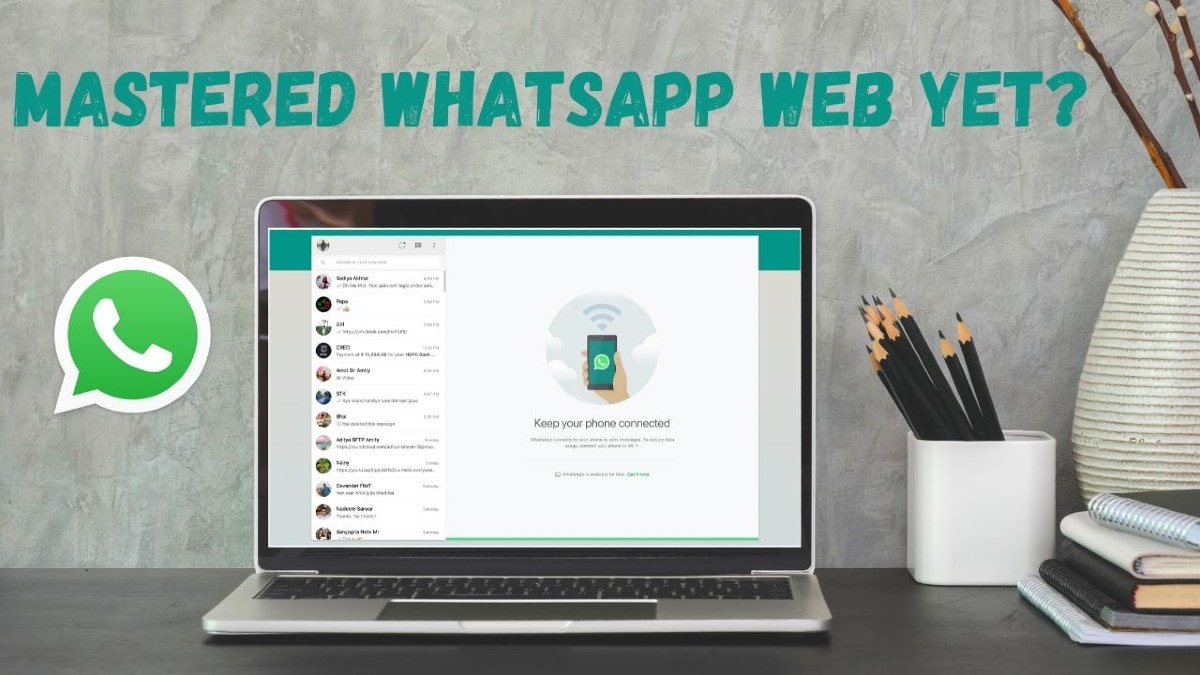
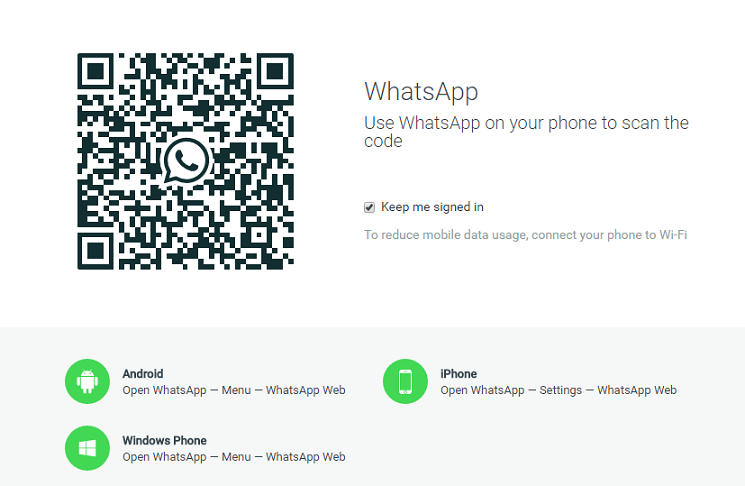
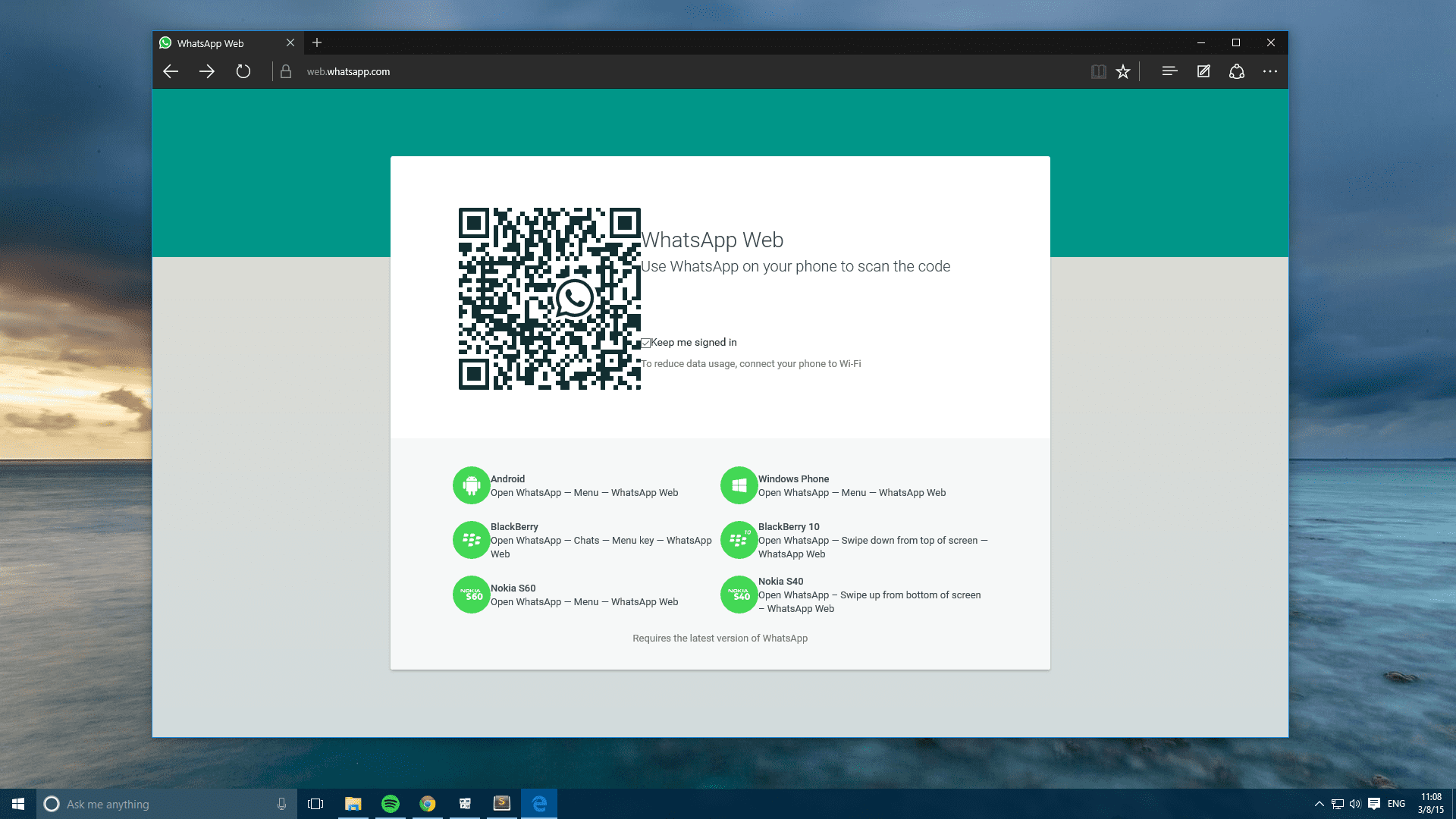
Point your phone to this screen to capture the code. I am trying to access WhatsApp Web and I get the following message. WhatsApp Web is a browser version of the WhatsApp Messenger chat and videovoice calling app from iOS and Android.
Turn on notifications In your browser click Turn on desktop notifications within the blue banner above your chats list. On your Apple iPhone Open the Safari Browser or any other browser that your use. Zašto ovaj članak nije bio od pomoći.
On your Android Phone Open Whats App and Select the verticl 3 button on the Top Right hand side of the screen. WhatsApp for Windows 10. I run Chrome version 43 so this makes no sense.
Send and receive instant. Its not clear though how often the above table is updated or whether it would include other browsers when they offer support for ES6 on iOS I note they only list Safari for iOS and no other browser. Open WhatsApp on your phone.
The Windows Safari versions are installed on Windows 10 81 8 7 and XP. I have an Ipad Pro and im using whatsapp web on the safari browser. Safari is designed to emphasize the browsing not the browser.
Cant receive notifications on Safari - If you arent receiving notifications on WhatsApp Web make sure your notifications are turned on in your browser. Then open a new tab in a web browser like Safari or Google Chrome on your iPad and follow these steps. WhatsApp Web is now available for Safari.
If you dont see the blue banner refresh the page. The browser frame is a single pixel wide. From the list that drops down select WhatsApp Web.
Desktop WhatsApp comes in two flavors a downloadable system app for Mac and. To use WhatsApp on your computer. You will come across this screen.
How To Use Whatsapp On Ipad

How To Use Whatsapp On Ipad With Ipados
Whatsapp Web Everything You Need To Know Ndtv Gadgets 360

How To Open Whatsapp Web On Mac Pc With Iphone 2021 Use
How To Share A Website Link Externally On Safari Ios Ipados
How To Use The Whatsapp Web On My Iphone For Another Android Phone Quora
How To Use Whatsapp On Your Mac Macrumors
Whatsapp Web Https Web Whatsapp Com

Whatsapp Web Does Not Work On Ios Suggests Upgrading Safari Or Using Different Browser Issue 2212 Brave Brave Ios Github

How To Use Whatsapp On Ipad With Ipados

Whatsapp For Safari Download

How To Automatically Close Inactive Safari Tabs On Ios Tab Icloud Safari

How To Use Whatsapp On An Ipad

Planning To Use Whatsapp On An Ipad With A Browser And Iphone Here S How Information News
Whatsapp Web Already Works On Edge Here S How To Enable It Mspoweruser
How To Use Whatsapp On An Ipad

How To Open Whatsapp Web On Mac Pc With Iphone 2021 Use
How To Set Up And Use Whatsapp On Ipad In 2021 Easy Guide Beebom

How To Use Whatsapp On Ipad With Ipados

Posting Komentar untuk "Whatsapp Browser Safari"